Kyle Ledbetter
Product
3
min read
Dreambase Agents Now Know Your Business
The hardest part of AI analytics has never been generating a chart. It has been making sure the AI understands your business well enough to generate the right chart, every time, without you re-explaining your data model on every query.
Agent Data Skills Are The Solution
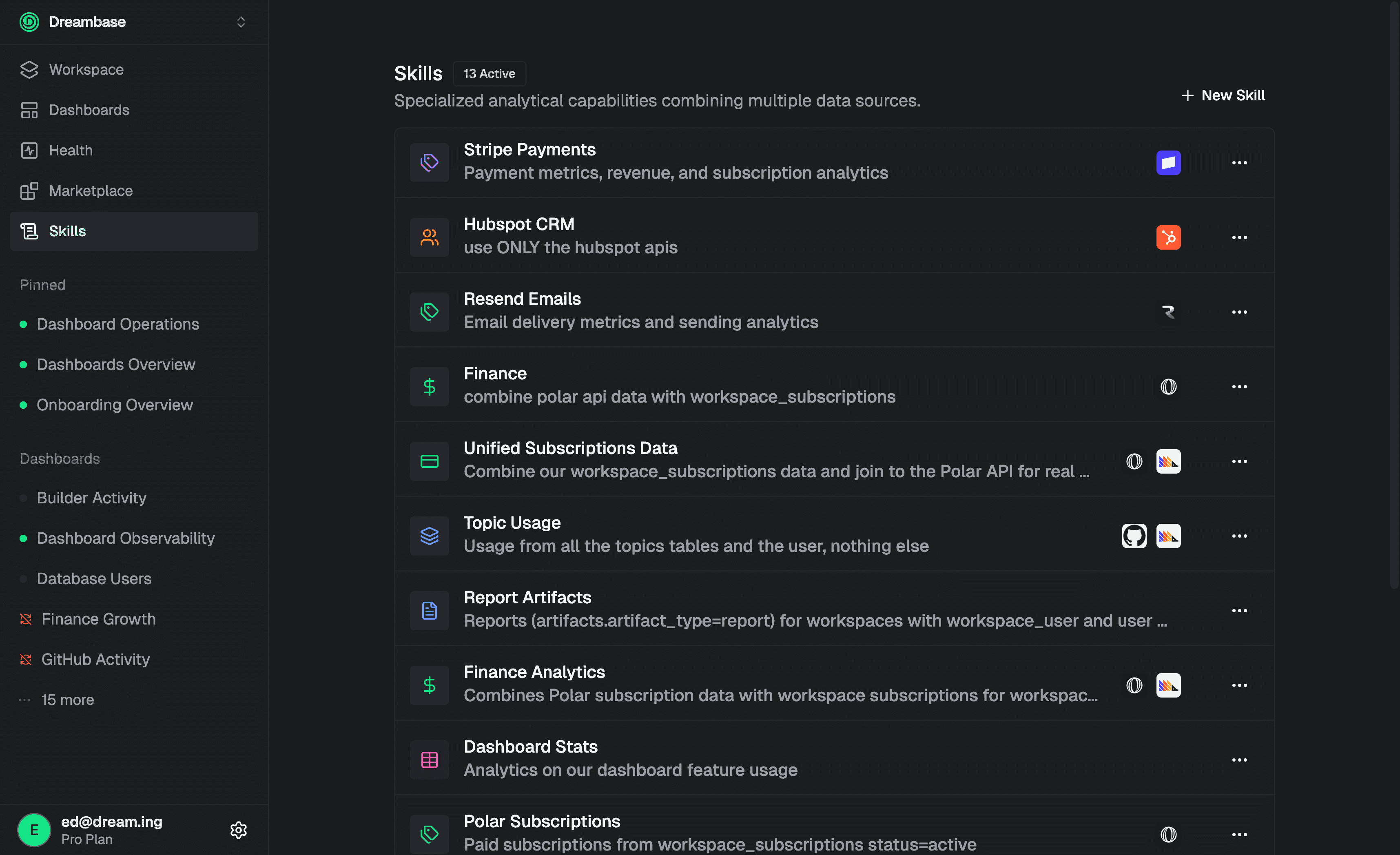
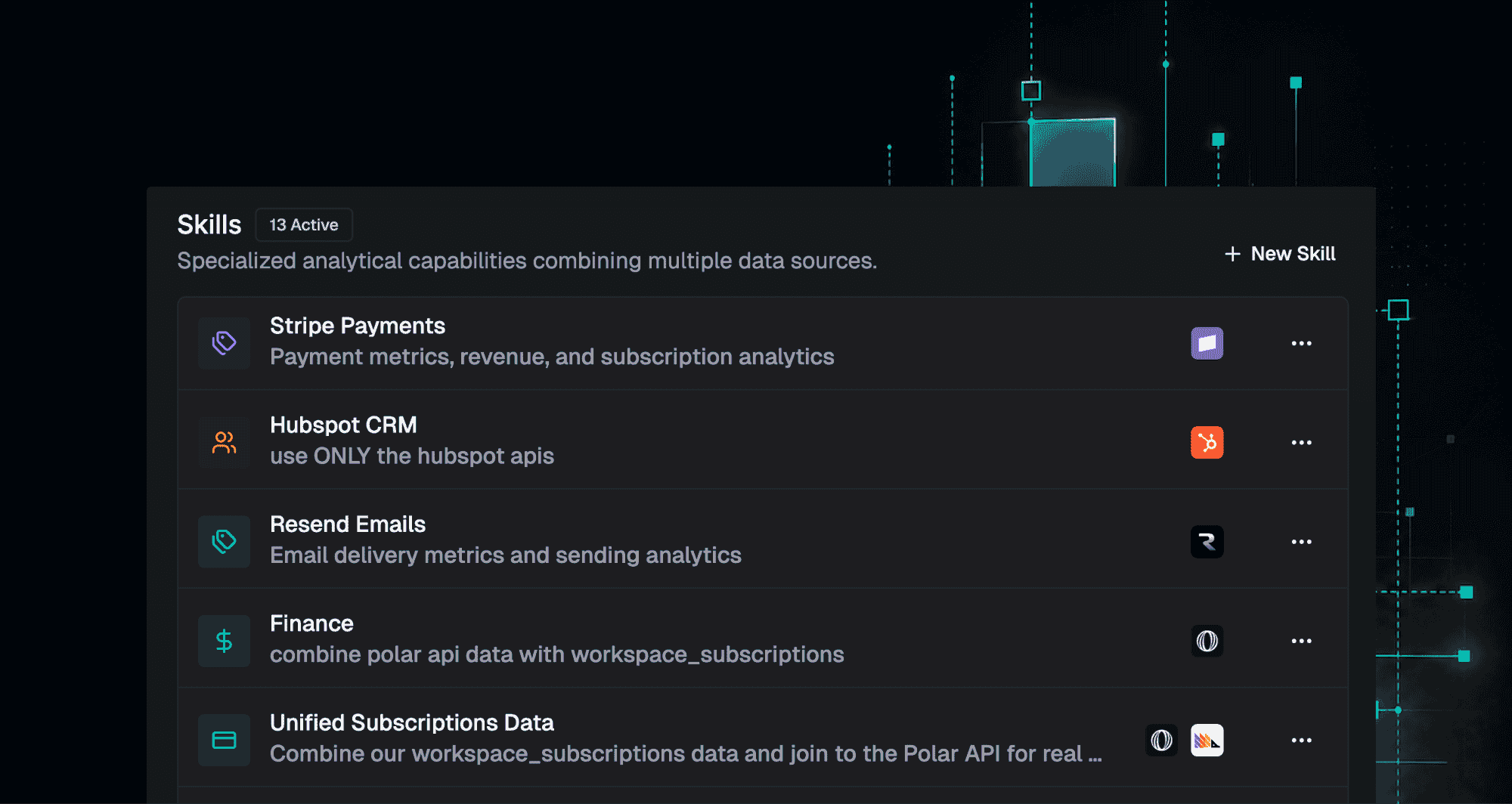
A Skill bundles your data sources: Supabase tables, Stripe, PostHog, Clickhouse, any connected API or MCP, with your business logic, KPI definitions, and visualization preferences into a single reusable unit. Define a “SaaS Subscription Skill” once and every dashboard, every report, and every Agent conversation uses it consistently from that point forward. No more AI guessing what your metrics mean. No more inconsistent numbers across different reports.
Create Skills with the Skill Builder
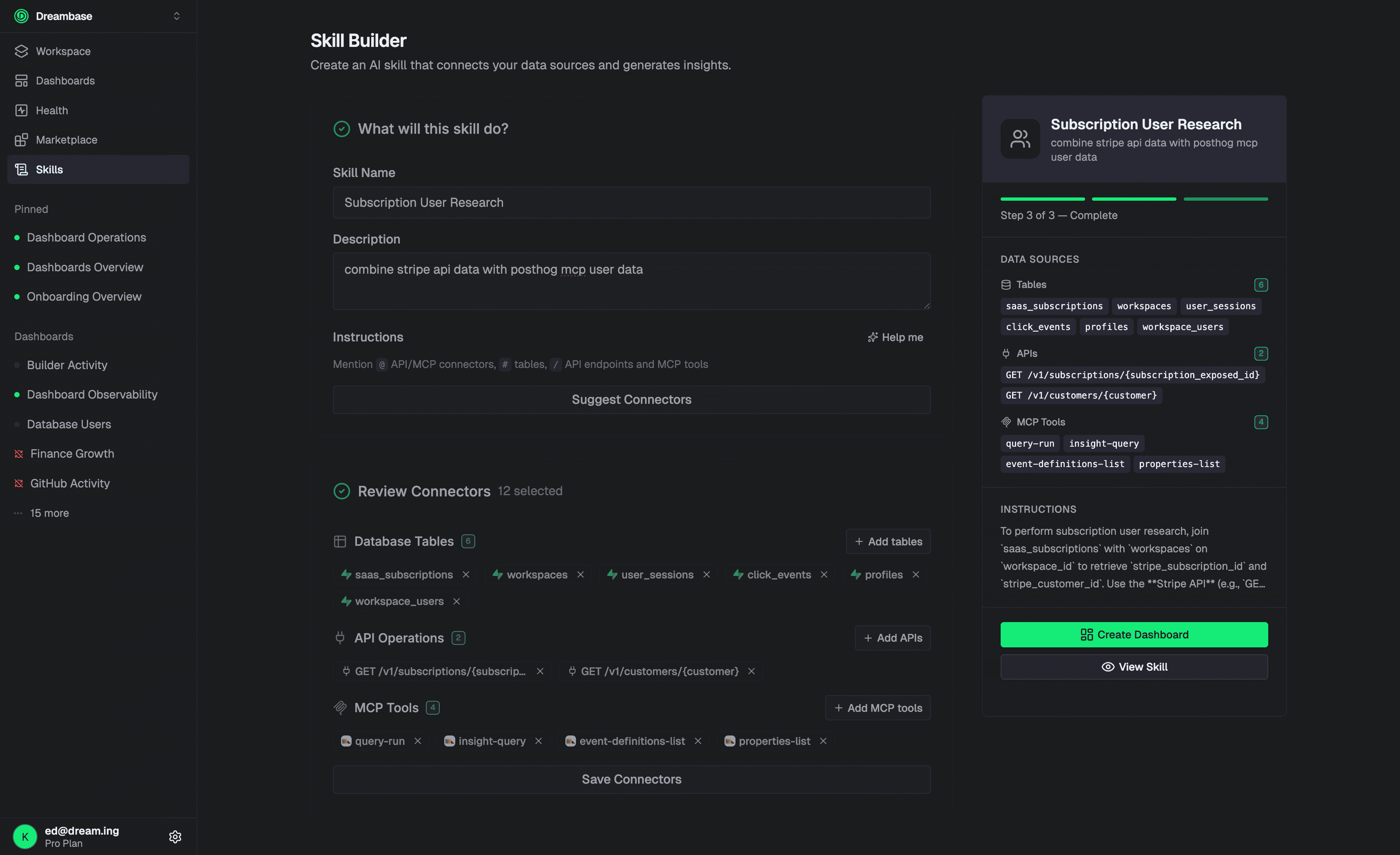
The new Skill Builder makes creating Skills fast and guided. Walk through a focused flow, define your Use Cases and KPIs, and Dreambase handles the rest. When you connect a Supabase project for the first time, onboarding now scans your schema and pre-populates Skills automatically so most teams have a working foundation before they finish setup.
In the homepage Agent Chat, type / to invoke any Skill directly. The Agent immediately has the full context of your business logic and can answer questions, build dashboards, and generate reports with accuracy that was not possible before.
Coming soon: Skills will be available externally via API, MCP, and CLI so other agents and tools can consume them directly. Reach out if you want early access.
Dashboard Plan Mode: Let the Agent Ask the Questions
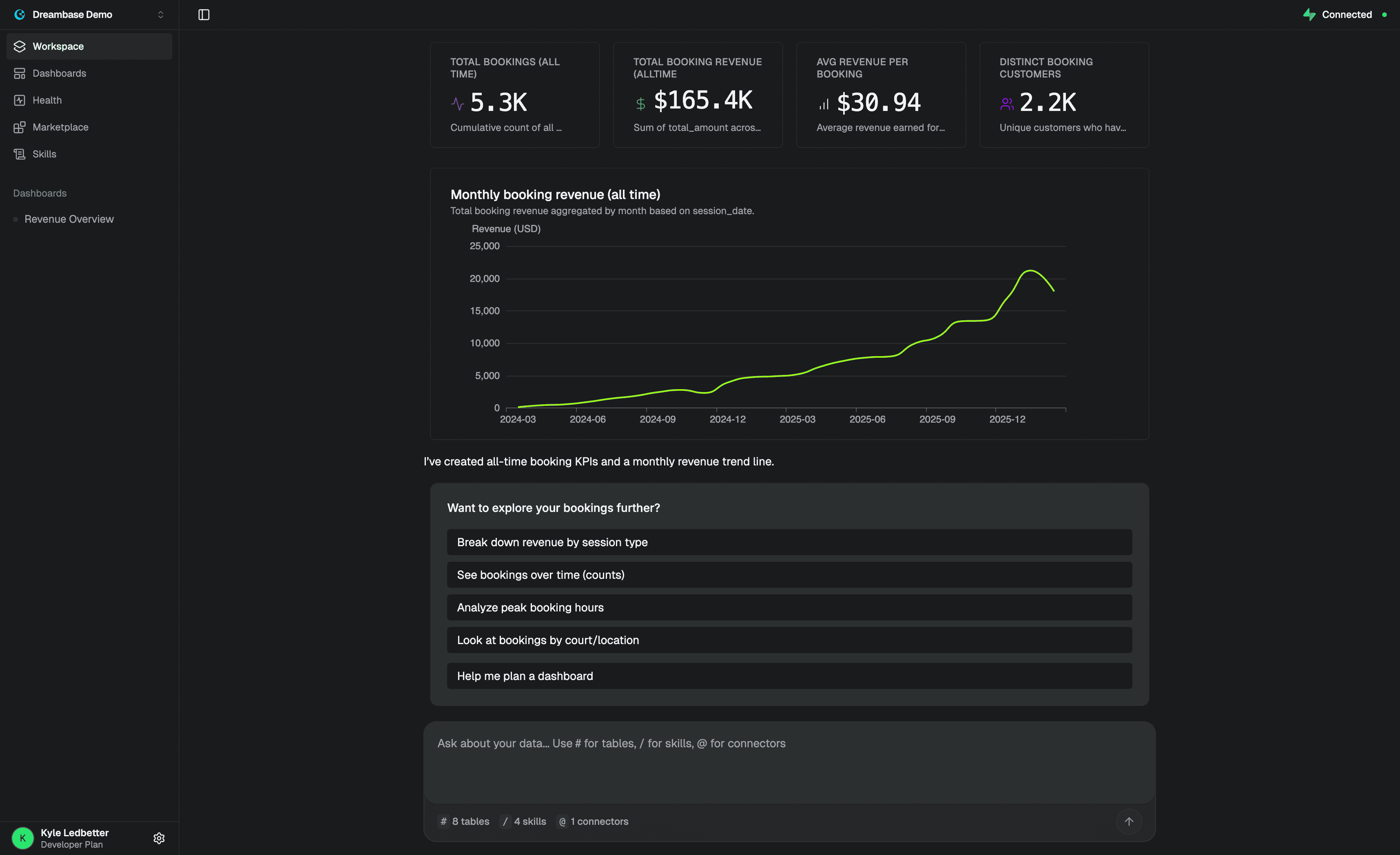
Building a great dashboard used to require knowing exactly how to describe what you wanted. Plan Mode removes that entirely.
When you activate Plan Mode, the Agent starts by understanding your goal before it builds anything. It asks you focused, intelligent questions, specific to your connected data, your Skills, and your business context until it has enough to plan the entire dashboard for you. You review the plan, confirm it, and the Agent handles the rest.
The questions are not generic prompts. They are grounded in what the Agent already knows about your workspace. By the time you confirm, the Agent understands what decision you are trying to make, which metrics matter, and how the dashboard should be structured. You go from idea to production dashboard without worrying about how to prompt correctly.
And if the Agent encounters a challenge mid-generation that would affect the quality of the output, it stops and asks you rather than guessing. You get dashboards that are right the first time, not dashboards that need to be rebuilt after the fact.
A Smarter Homepage
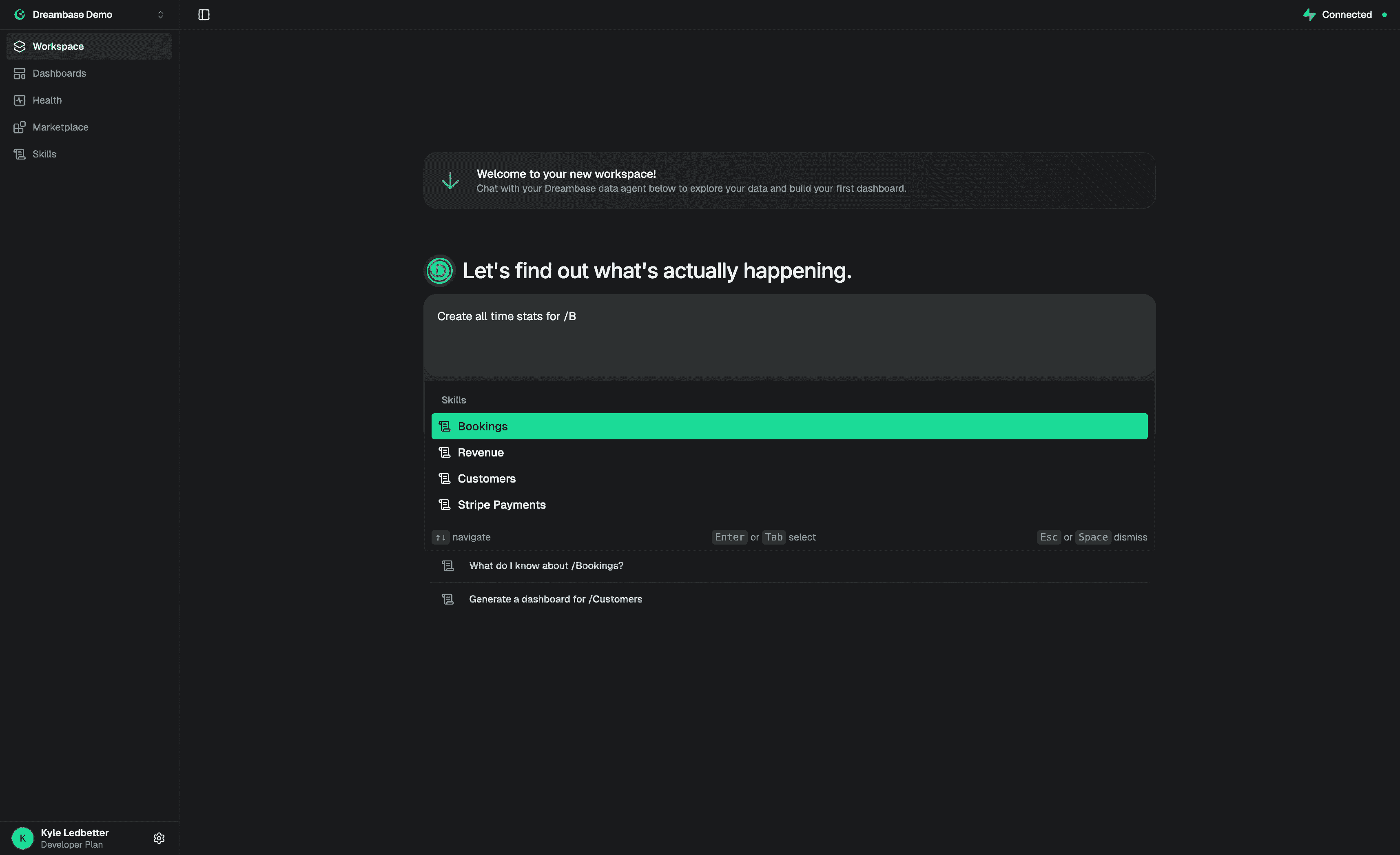
The Dreambase homepage is now a fully powered Agent Chat where you can explore everything in your workspace: your data, your Skills, your KPIs, your metrics in a single conversation.
Ask it what retention looked like last month. Ask it which features your highest-value customers use. Ask it to compare MRR across plan types. Type @ to bring a specific connector into context. The Agent knows your business and it is ready to answer the moment you open Dreambase.
A More Familiar, Modern Experience
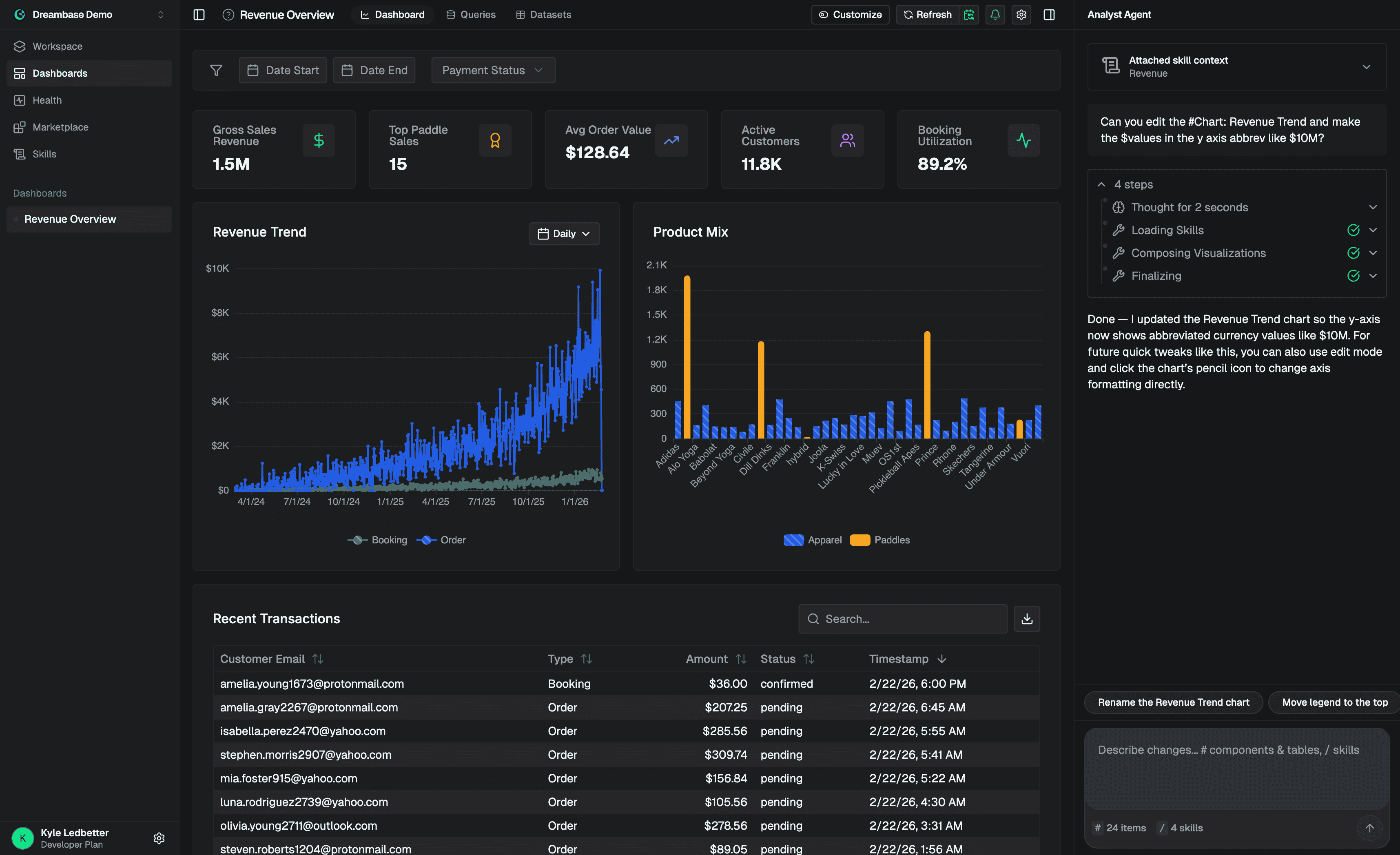
The navigation, headers, and overall layout have been upgraded based on direct user feedback. The goal was to make Dreambase feel immediately familiar like the modern AI tools you already use every day.
The left navigation is cleaner and more consistent. Dashboard sidesheets and settings panels are reorganized so the most important actions are always where you expect them. If you have been a Dreambase user for a while, the upgrade removes friction you may have gotten used to without realizing it.
What Is Next
Skills via API, MCP, and CLI open Dreambase to the broader agent ecosystem. Plan Mode gets smarter with every conversation. And the homepage Agent Chat is just the start of what an AI that truly understands your business can do for you daily.
Go explore what is new and let us know what you think.
Related guide: How to Create an Agentic Analytics Dashboard
What do you want to know from your data?
Get the answer now.